
What are you looking for?
Filter by Category
Filter by Tags
- angular
- application
- bluetooth
- cinnamon-desktop
- cloud
- cloudflare-tunnel
- cloudflared
- cloudinit
- cockpit
- cPanel
- cron
- database-administration
- debian
- debian-12
- docker
- easydcim
- fedora
- fedora-41
- fedora-42
- fedora-43
- fedora-kde
- fnm
- fonts
- gnome-desktop-environment
- gnome-shell
- google-chrome
- hibernate
- hidpi
- intel-igpu
- ionic
- kde-neon
- kde-plasma-6
- kdeneon
- kvm-qemu
- libvirt
- linux
- linux-kernel
- linuxmint
- lxqt
- mariadb
- mysql
- networking
- nodejs
- nvidia-wayland
- PHP
- pnpm
- portainer
- powershell
- proxmox-ve
- robocopy
- rsync
- shell-scripting
- sudo
- sveltekit
- swap
- tailwindcss
- tigervnc
- ubuntu
- udev
- usb
- virtualbox
- virtualbox-guest-additions
- vnc
- vscode
- wayland
- WHM
- WHMCS
- winget
Category: Linux
-
How to Install QEMU Guest Agent on Fedora 42
Read: How to Install QEMU Guest Agent on Fedora 42If you’re running Fedora 42 on Proxmox or other KVM/QEMU/libvirt-based hypervisors, you need to install the QEMU Guest Agent to get the best performance and integrations. To install QEMU Guest Agent on Fedora 42, run the following command: To confirm the installation, press Y and then press <Enter>. QEMU Guest…
-
How to Remove Cockpit from Fedora Server 42
Read: How to Remove Cockpit from Fedora Server 42Cockpit is installed by default on all Fedora server installations. You may not like it or want to remove it to make your Fedora system lighter. To remove cockpit from Fedora 42 server, run the following command: To confirm the removal operation, press Y and then press <Enter>. Cockpit should…
-
How to Configure TigerVNC Server on Fedora 42 LXQT Desktop Environment
Read: How to Configure TigerVNC Server on Fedora 42 LXQT Desktop EnvironmentIn this article, I am going to show you how to install the LXQT desktop environment on a Fedora 42 server. I will also show you how to install the TigerVNC server and configure it on the Fedora 42 LXQT desktop environment. Installing LXQT Desktop Environment on Fedora 42 Server…
-
How to Change EasyDCIM Access IP Address
Read: How to Change EasyDCIM Access IP AddressAt work I have come accross an issue with EasyDCIM. Before I installed EasyDCIM, an IP address was assigned to the server via DHCP because the IP will change when we will move the server to the datacenter. But when we did the move and a new IP was assigned…
-
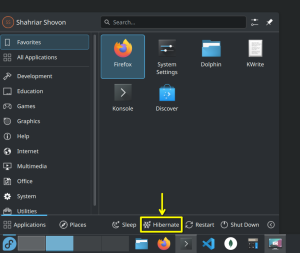
How to Enable Hibernate on Fedora 41 (KDE Plasma Spin)
Read: How to Enable Hibernate on Fedora 41 (KDE Plasma Spin)In this article, I will show you how to enable the hibernate feature on Fedora 41 KDE Plasma Spin. Required Swap Partition Size for Hibernation For hibernation to work, your swap partition size must be at least 1.5x – 2x the size of your physical memory. So, if you have…
-
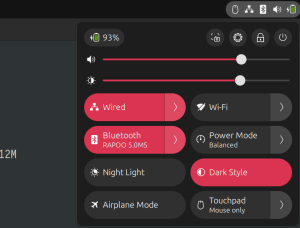
How to Fix Bluetooth Mouse Disconnect/Timeout/Lagging Issue on Linux
Read: How to Fix Bluetooth Mouse Disconnect/Timeout/Lagging Issue on LinuxIn most cases, your Bluetooth adapter is connected to your laptop/computer via USB. By default, Linux disconnects idle USB devices to save power. That is the main reason your Bluetooth devices gets disconnected if you leave it idle for a few seconds and it takes a few seconds to reconnect…
-
How to Fix Screen Flickering Issue on Intel iGPU on Ubuntu 24.04 LTS
Read: How to Fix Screen Flickering Issue on Intel iGPU on Ubuntu 24.04 LTSUbuntu 24.04 LTS uses Linux kernel version 6.8.x and it has a bug that causes screen flickering on Intel iGPU. The screen mainly flickers when you hover at the corners of your screen. The issue is fixed in Linux kernel 6.10.x. So, the best solution is to upgrade the kernel…
-
How to Fix Blurry Fonts in Visual Studio Code on HiDPI Monitors on KDE Plasma 6 Wayland
Read: How to Fix Blurry Fonts in Visual Studio Code on HiDPI Monitors on KDE Plasma 6 WaylandI am using KDE Neon with KDE Plasma 6 desktop environment on a 4k+ 4:3 aspect ratio 28″ monitor. After I installed Visual Studio Code, the text/fonts looked really blurry. So, I tried to find a way to solve this issue and the good news is I got it fixed.…
-
How to Fix Blurry Fonts in Google Chrome on HiDPI Monitors on Wayland
Read: How to Fix Blurry Fonts in Google Chrome on HiDPI Monitors on WaylandI am using KDE Neon with KDE Plasma 6 desktop environment on a 4k+ 4:3 aspect ratio 28″ monitor. After I installed Google Chrome, the text/fonts looked really blurry. Firefox ran just fine with the default settings. So, I tried to find a way to solve this issue and the…
-
How to Fix HiDPI Scaling Issues with Zoom Client on KDE Plasma 6+Wayland
Read: How to Fix HiDPI Scaling Issues with Zoom Client on KDE Plasma 6+WaylandI installed Zoom client on my KDE Neon (KDE Plasma 6 desktop environment + Wayland) and HiDPI scaling on my 4k 27″ monitor wasn’t working. The text and icons of the Zoom client was so small that my eyes started to hurt. I looked around all the Zoom client settings…