
What are you looking for?
Filter by Category
Filter by Tags
- angular
- application
- bluetooth
- cinnamon-desktop
- cloud
- cloudflare-tunnel
- cloudflared
- cloudinit
- cockpit
- cPanel
- cron
- database-administration
- debian
- debian-12
- docker
- easydcim
- fedora
- fedora-41
- fedora-42
- fedora-43
- fedora-kde
- fnm
- fonts
- gnome-desktop-environment
- gnome-shell
- google-chrome
- hibernate
- hidpi
- intel-igpu
- ionic
- kde-neon
- kde-plasma-6
- kdeneon
- kvm-qemu
- libvirt
- linux
- linux-kernel
- linuxmint
- lxqt
- mariadb
- mysql
- networking
- nodejs
- nvidia-wayland
- PHP
- pnpm
- portainer
- powershell
- proxmox-ve
- robocopy
- rsync
- shell-scripting
- sudo
- sveltekit
- swap
- tailwindcss
- tigervnc
- ubuntu
- udev
- usb
- virtualbox
- virtualbox-guest-additions
- vnc
- vscode
- wayland
- WHM
- WHMCS
- winget
Tag: vscode
-
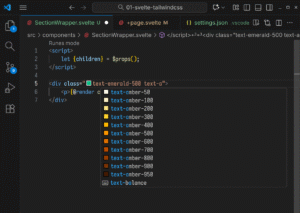
How to Configure VS Code for SvelteKit and TailwindCSS Web Development
Read: How to Configure VS Code for SvelteKit and TailwindCSS Web DevelopmentIn this article, I am going to show you how to correctly configure VS Code to develop SvelteKit 5 app using TailwindCSS. Installing Required VS Code Extensions For SvelteKit app development, you will need to install the following VSCode Extensions. ESLint (by Microsoft) Prettier (by Prettier) Svelte for VS Code…
-
Fixing angular.json File Schema Parsing Issue on VSCode on Windows
Read: Fixing angular.json File Schema Parsing Issue on VSCode on WindowsWhile working on a Ionic/Angular project on Windows 11, I opened the angular.json file on VScode and I saw that the $schema option is not recognized and VSCode wouldn’t do any code suggestions because of that. I checked if the file schema.json was available in the ./node_modules/@angular/cli/lib/config/ directory and it…
-
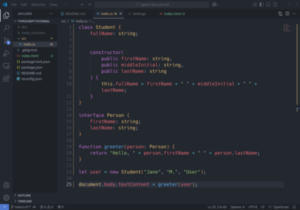
How to Fix Blurry Fonts in Visual Studio Code on HiDPI Monitors on KDE Plasma 6 Wayland
Read: How to Fix Blurry Fonts in Visual Studio Code on HiDPI Monitors on KDE Plasma 6 WaylandI am using KDE Neon with KDE Plasma 6 desktop environment on a 4k+ 4:3 aspect ratio 28″ monitor. After I installed Visual Studio Code, the text/fonts looked really blurry. So, I tried to find a way to solve this issue and the good news is I got it fixed.…
-
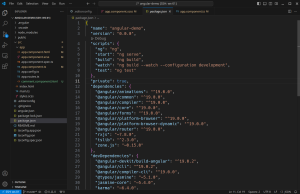
How to Fix Visual Studio Code Flickering on Wayland KDE Plasma 6 (NVIDIA GPU)
Read: How to Fix Visual Studio Code Flickering on Wayland KDE Plasma 6 (NVIDIA GPU)At the time of this writing, our all time favorite code editor, VSCode has flickering issue on Wayland KDE Plasma 6 desktop environment if you’re using NVIDIA GPU. To fix this issue, edit the Visual Studio Code app from the KDE Plasma 6 menu. Navigate to Application tab, type in…