
What are you looking for?
Filter by Category
Filter by Tags
- angular
- application
- bluetooth
- cinnamon-desktop
- cloud
- cloudflare-tunnel
- cloudflared
- cloudinit
- cockpit
- cPanel
- cron
- database-administration
- debian
- debian-12
- docker
- easydcim
- fedora
- fedora-41
- fedora-42
- fedora-43
- fedora-kde
- fnm
- fonts
- gnome-desktop-environment
- gnome-shell
- google-chrome
- hibernate
- hidpi
- intel-igpu
- ionic
- kde-neon
- kde-plasma-6
- kdeneon
- kvm-qemu
- libvirt
- linux
- linux-kernel
- linuxmint
- lxqt
- mariadb
- mysql
- networking
- nodejs
- nvidia-wayland
- PHP
- pnpm
- portainer
- powershell
- proxmox-ve
- robocopy
- rsync
- shell-scripting
- sudo
- sveltekit
- swap
- tailwindcss
- tigervnc
- ubuntu
- udev
- usb
- virtualbox
- virtualbox-guest-additions
- vnc
- vscode
- wayland
- WHM
- WHMCS
- winget
Recent Posts
-
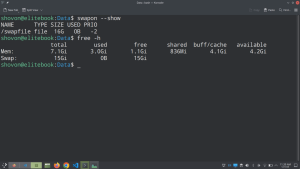
How to Increase/Decrease Swap Disk Size on Linux (Swapfile method)
Read: How to Increase/Decrease Swap Disk Size on Linux (Swapfile method)Checking the Current Swap Disk Size and Swapfile Location You can check the current swap disk size with the following command: As you can see, currently my computer has 512MB of swap disk space configured. It’s using a file-based swap and the swap file path is /swapfile. Disabling the Current…
-
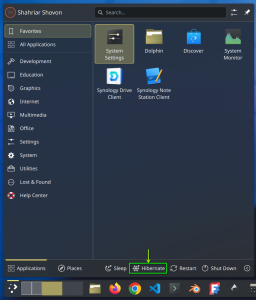
How to Enable Hibernate on KDE Neon (Swapfile Method)
Read: How to Enable Hibernate on KDE Neon (Swapfile Method)For hibernate to work, you must have swap disk configured on your computer. The swap disk size should be 2 times the memory (RAM) size installed on your computer. So, if you have 8GB of memory installed on your computer, your swap disk size should be 16GB. Checking Installed Memory…
-
How to Fix Google Chrome Screen Flickering and Enable 3D Acceleration on Wayland KDE Plasma 6 (NVIDIA GPU)
Read: How to Fix Google Chrome Screen Flickering and Enable 3D Acceleration on Wayland KDE Plasma 6 (NVIDIA GPU)For Google Chrome to work on Wayland KDE Plasma 6 desktop environment on NVIDIA GPU, Once Wayland is enabled on Google Chrome:
-
How to Fix Visual Studio Code Flickering on Wayland KDE Plasma 6 (NVIDIA GPU)
Read: How to Fix Visual Studio Code Flickering on Wayland KDE Plasma 6 (NVIDIA GPU)At the time of this writing, our all time favorite code editor, VSCode has flickering issue on Wayland KDE Plasma 6 desktop environment if you’re using NVIDIA GPU. To fix this issue, edit the Visual Studio Code app from the KDE Plasma 6 menu. Navigate to Application tab, type in…
-
How to Configure TigerVNC Server on Debian 12 LXQT Desktop Environment
Read: How to Configure TigerVNC Server on Debian 12 LXQT Desktop EnvironmentInstalling LXQT Desktop Environment on Debian 12 Install LXQT desktop environment on Debian 12 with the following command: Tick Debian desktop environment and LXQt from the Software selection window[1][2]. You may also select SSH server if you want to SSH into the Debian server[3]. Once you’re done, click on OK[4].…
-
How to Remove All Docker Containers in a Single Command
Read: How to Remove All Docker Containers in a Single CommandRemoving All Stopped Docker Containers To remove all the stopped docker containers in a single command, run the following command: Removing All Running Docker Containers To remove all the running docker containers in a single command, run the following command: Removing All Running and Stopped Docker Containers To remove all…
-

How to Find IDs of All Running and Stopped Docker Containers
Read: How to Find IDs of All Running and Stopped Docker ContainersDocker container ID is important to start, stop, and remove Docker containers from the command line. To find the IDs of all the running and stopped Docker containers, run the following command: To find the IDs of all the running Docker containers, run the following command: To find the IDs…