
What are you looking for?
Filter by Category
Filter by Tags
- angular
- application
- bluetooth
- cinnamon-desktop
- cloud
- cloudflare-tunnel
- cloudflared
- cloudinit
- cockpit
- cPanel
- cron
- database-administration
- debian
- debian-12
- docker
- easydcim
- fedora
- fedora-41
- fedora-42
- fedora-43
- fedora-kde
- fnm
- fonts
- gnome-desktop-environment
- gnome-shell
- google-chrome
- hibernate
- hidpi
- intel-igpu
- ionic
- kde-neon
- kde-plasma-6
- kdeneon
- kvm-qemu
- libvirt
- linux
- linux-kernel
- linuxmint
- lxqt
- mariadb
- mysql
- networking
- nodejs
- nvidia-wayland
- PHP
- pnpm
- portainer
- powershell
- proxmox-ve
- robocopy
- rsync
- shell-scripting
- sudo
- sveltekit
- swap
- tailwindcss
- tigervnc
- ubuntu
- udev
- usb
- virtualbox
- virtualbox-guest-additions
- vnc
- vscode
- wayland
- WHM
- WHMCS
- winget
Recent Posts
-
How to Compile PostgreSQL src/tutorial Files on Linux
Read: How to Compile PostgreSQL src/tutorial Files on LinuxCompiling PostgreSQL Tutorial Files on Fedora Install the required PostgreSQL devel packages and build tools with the following command: Download PostgreSQL source file from the official PostgreSQL website and extract it in your desired location. Once the PostgreSQL source file is downloaded and extract, open a Terminal and navigate to…
-
How to Install PostgreSQL 17 on Fedora 42
Read: How to Install PostgreSQL 17 on Fedora 42Installing PostgreSQL 17 on Fedora 42 Update package repository cache Install PostgreSQL 17 client and server packages Initializing PostgreSQL 17 Data Directory Initialize the PostgreSQL database directory Starting PostgreSQL 17 Start PostgreSQL 17 systemd service Add PostgreSQL service to system startup so that it starts automatically at system boot PostgreSQL…
-
How to Install Portainer CE on Synology NAS DSM 7
Read: How to Install Portainer CE on Synology NAS DSM 7In this article, I am going to show you how to install Portainer CE on Synology NAS DSM 7 operating system. First, install Container Manager from the Synology Package Center app. Create a new folder portainer in the docker volume using the File Station app. Navigate to Control Panel >…
-

How to Generate Random Hashes using Linux Commands
Read: How to Generate Random Hashes using Linux CommandsGenerating Random Base64 Hash using openssl To generate a random base64 hash, you can run the following openssl command: For example, I have generated a 32-byte base64 hash. Generating Random Hex Hash using openssl To generate a random hex hash, you can run the following openssl command: For example, I…
-
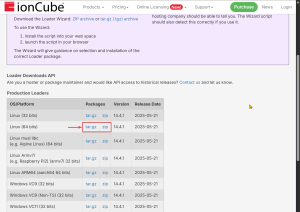
How to Upgrade ionCube Loader on WHM/cPanel
Read: How to Upgrade ionCube Loader on WHM/cPanelWHM allows you to switch to a specific version of ionCube Loader from EasyApache4. But it may not have the latest version of ionCube Loader. You may need to upgrade to the latest ionCube Loader on WHM/cPanel for your website to work. In that case, you will have to manually…
-
How to Enable PHP Error Reporting on WHMCS
Read: How to Enable PHP Error Reporting on WHMCSWHMCS is configured to display a custom error page, which hides PHP errors even when error_reporting is enabled in the php.ini file of the MultiPHP INI Editor of WHM/cPanel. To enable error reporting in WHMCS, you need to configure the WHMCS configuration file. In this article, I will show you…
-
How to Install QEMU Guest Agent on Fedora 42
Read: How to Install QEMU Guest Agent on Fedora 42If you’re running Fedora 42 on Proxmox or other KVM/QEMU/libvirt-based hypervisors, you need to install the QEMU Guest Agent to get the best performance and integrations. To install QEMU Guest Agent on Fedora 42, run the following command: To confirm the installation, press Y and then press <Enter>. QEMU Guest…
-
How to Remove Cockpit from Fedora Server 42
Read: How to Remove Cockpit from Fedora Server 42Cockpit is installed by default on all Fedora server installations. You may not like it or want to remove it to make your Fedora system lighter. To remove cockpit from Fedora 42 server, run the following command: To confirm the removal operation, press Y and then press <Enter>. Cockpit should…
-
How to Configure TigerVNC Server on Fedora 42 LXQT Desktop Environment
Read: How to Configure TigerVNC Server on Fedora 42 LXQT Desktop EnvironmentIn this article, I am going to show you how to install the LXQT desktop environment on a Fedora 42 server. I will also show you how to install the TigerVNC server and configure it on the Fedora 42 LXQT desktop environment. Installing LXQT Desktop Environment on Fedora 42 Server…
-
How to Change EasyDCIM Access IP Address
Read: How to Change EasyDCIM Access IP AddressAt work I have come accross an issue with EasyDCIM. Before I installed EasyDCIM, an IP address was assigned to the server via DHCP because the IP will change when we will move the server to the datacenter. But when we did the move and a new IP was assigned…