
What are you looking for?
Filter by Category
Filter by Tags
- angular
- application
- bluetooth
- cinnamon-desktop
- cloud
- cloudflare-tunnel
- cloudflared
- cloudinit
- cockpit
- cPanel
- cron
- database-administration
- debian
- debian-12
- docker
- easydcim
- fedora
- fedora-41
- fedora-42
- fedora-43
- fedora-kde
- fnm
- fonts
- gnome-desktop-environment
- gnome-shell
- google-chrome
- hibernate
- hidpi
- intel-igpu
- ionic
- kde-neon
- kde-plasma-6
- kdeneon
- kvm-qemu
- libvirt
- linux
- linux-kernel
- linuxmint
- lxqt
- mariadb
- mysql
- networking
- nodejs
- nvidia-wayland
- PHP
- pnpm
- portainer
- powershell
- proxmox-ve
- robocopy
- rsync
- shell-scripting
- sudo
- sveltekit
- swap
- tailwindcss
- tigervnc
- ubuntu
- udev
- usb
- virtualbox
- virtualbox-guest-additions
- vnc
- vscode
- wayland
- WHM
- WHMCS
- winget
Recent Posts
-

How to Sync Proxmox VE Cloud-Init Snippets Between Nodes in a Cluster
Read: How to Sync Proxmox VE Cloud-Init Snippets Between Nodes in a ClusterIn this article, I am going to show you how to sync Proxmox VE cloud-init snippets stored in local storage between Proxmox VE nodes in a Proxmox VE cluster using a cron job. This is helpful when you want to automate tasks, do VM migrations between nodes in a Proxmox…
-
![How to Fix MySQL/MariaDB Error SQLSTATE[HY000] 1419 – you do not have the SUPER privilege and binary logging is enabled](https://nodekite.com/wp-content/uploads/2026/01/4fb15e70-d889-42dd-bb1b-54e6b3d39a5c-300x169.jpg)
How to Fix MySQL/MariaDB Error SQLSTATE[HY000] 1419 – you do not have the SUPER privilege and binary logging is enabled
Read: How to Fix MySQL/MariaDB Error SQLSTATE[HY000] 1419 – you do not have the SUPER privilege and binary logging is enabledIn this article, I will show you how to fix the following MySQL/MariaDB error: Grant MySQL/MariaDB User SUPER Privilege To fix the issue, log in to your MySQL/MariaDB database as root user and grant SUPER privilege to your MySQL/MariaDB user (magento_dev@localhost in this case) using the following SQL statement: For…
-
How to Create a New MySQL/MariaDB Database and Set Specific Character Set and Collation
Read: How to Create a New MySQL/MariaDB Database and Set Specific Character Set and CollationIn this article, I am going to show you how to create a new MySQL/MariaDB database and configure it to use specific character set and collation. I will also show you how to character the character set and collation of an existing database. Listing Available MySQL/MariaDB Character Sets To list…
-
How to Create a New MySQL/MariaDB Database User
Read: How to Create a New MySQL/MariaDB Database UserIn this article, I am going to show you how to create a new MySQL/MariaDB database, create a new MySQL/MariaDB user, and grant the new user access to the newly created database. Connect to the Database To access the MySQL/MariaDB server as root user, run the command below. When prompted,…
-

How to Uninstall Cloudflared from Linux
Read: How to Uninstall Cloudflared from LinuxIn this article, I am going to show you how to removed cloudflared from Ubuntu/Debian and other Linux distributions. First, uninstall the cloudflared systemd service. To uninstall the cloudflared system package on Ubuntu/Debian, run the following command: To uninstall the cloudflared system package on RHEL/CentOS/Fedora/AlmaLinux/RockyLinux, run the following command: cloudflared…
-
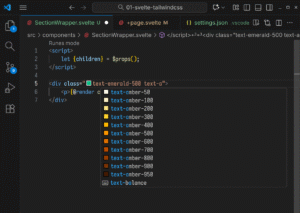
How to Configure VS Code for SvelteKit and TailwindCSS Web Development
Read: How to Configure VS Code for SvelteKit and TailwindCSS Web DevelopmentIn this article, I am going to show you how to correctly configure VS Code to develop SvelteKit 5 app using TailwindCSS. Installing Required VS Code Extensions For SvelteKit app development, you will need to install the following VSCode Extensions. ESLint (by Microsoft) Prettier (by Prettier) Svelte for VS Code…
-
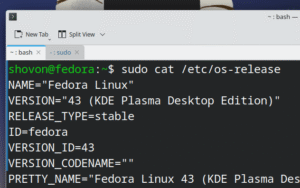
How to Enable Passwordless sudo on Fedora
Read: How to Enable Passwordless sudo on FedoraWhen you run the sudo command on the Terminal for the first time, it will ask you to enter your login password. If you don’t want sudo to ask for your login password ever again, you will need to configure sudo to be passwordless. Opening the sudo Configuration File On…
-
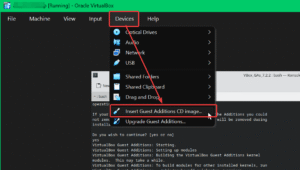
How to Install VirtualBox Guest Additions on Fedora 43
Read: How to Install VirtualBox Guest Additions on Fedora 43In this article, I am going to show you how to install the VirtualBox Guest Additions software on Fedora 43 operating system. Installing Package Updates on Fedora 43 Before you install the VirtualBox Guest Additions on Fedora 43, it’s recommended to install all the available updates on your Fedora 43…
-

Docker Won’t Start Immediately on System Boot on Proxmox VE VM/LXC Container
Read: Docker Won’t Start Immediately on System Boot on Proxmox VE VM/LXC ContainerAt times, the docker service may take a long long time to start on your Proxmox VE VM/LXC containers. This usually happens due to network interface configuration issues. If the VM/LXC container fails to assign an IP or correct IP information to a network interface, the docker service will not…
-
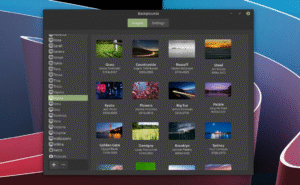
How to Install All Linux Mint Versions Wallpapers on Linux Mint
Read: How to Install All Linux Mint Versions Wallpapers on Linux MintEach Linux Mint release comes with amazing set of wallpapers. If you want to install all of those amazing wallpapers on Linux Mint, this article is for you. First, open the Terminal app and update the APT package repository cache with the following command: To install all the Linux Mint…